
Bookmark Manager Zero
A modern, privacy-focused interface for managing your Chrome bookmarks.




Overview
Bookmark Manager Zero is a Chrome extension that provides a beautiful, feature-rich side panel interface for managing your native Chrome bookmarks. It works directly with the bookmarks already built into your browser, with optional cloud sync via a private GitLab repository for backup and cross-device synchronization.
Changes sync bi-directionally and instantly: any edits made in Bookmark Manager Zero immediately appear in Chrome's native bookmark system, and vice versa. Don't worry about accidental changes—the built-in undo feature and the Event Log in the settings let you quickly restore recently deleted renamed, or moved bookmarks and folders.
It enhances your bookmark management experience with modern UI, advanced search, safety checking, and intelligent organization tools while keeping your data exactly where it belongs: in Chrome.
Why Bookmark Manager Zero?
The only bookmark manager with integrated security scanning.
Other bookmark tools make you choose between organization OR security. Bookmark Manager Zero combines both:
| Feature | Bookmark Manager Zero | Bookmark Sidebar | Sidebarr | Meomni |
|---|---|---|---|---|
| Modern bookmark UI | ✅ | ✅ | ✅ | ✅ |
| Dead link detection | ✅ | ✅ | ❌ | ❌ |
| Parked domain detection | ✅ | ❌ | ❌ | ❌ |
| Multi-source malware scanning | ✅ | ❌ | ❌ | ❌ |
| Safety indicators on bookmarks | ✅ | ❌ | ❌ | ❌ |
| Suspicious pattern detection | ✅ | ❌ | ❌ | ❌ |
| No tracking/analytics | ✅ | ❌ | ❌ | ❌ |
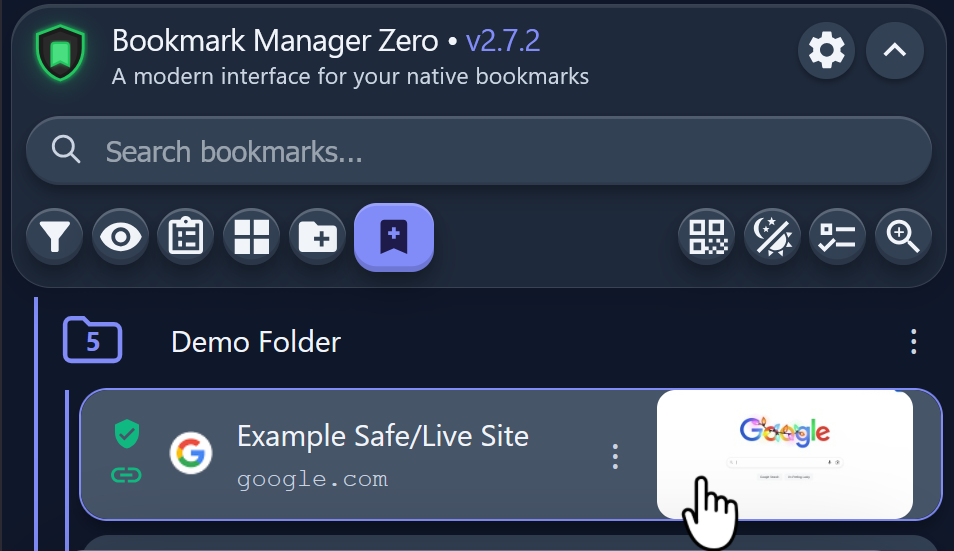
| Website previews | ✅ | ❌ | ❌ | ❌ |
| Free (no premium upsell) | ✅ | ❌ | ✅ | ❌ |
Stop blindly clicking old bookmarks. Know which links are dead, parked, or potentially dangerous before you visit them.
Screenshots
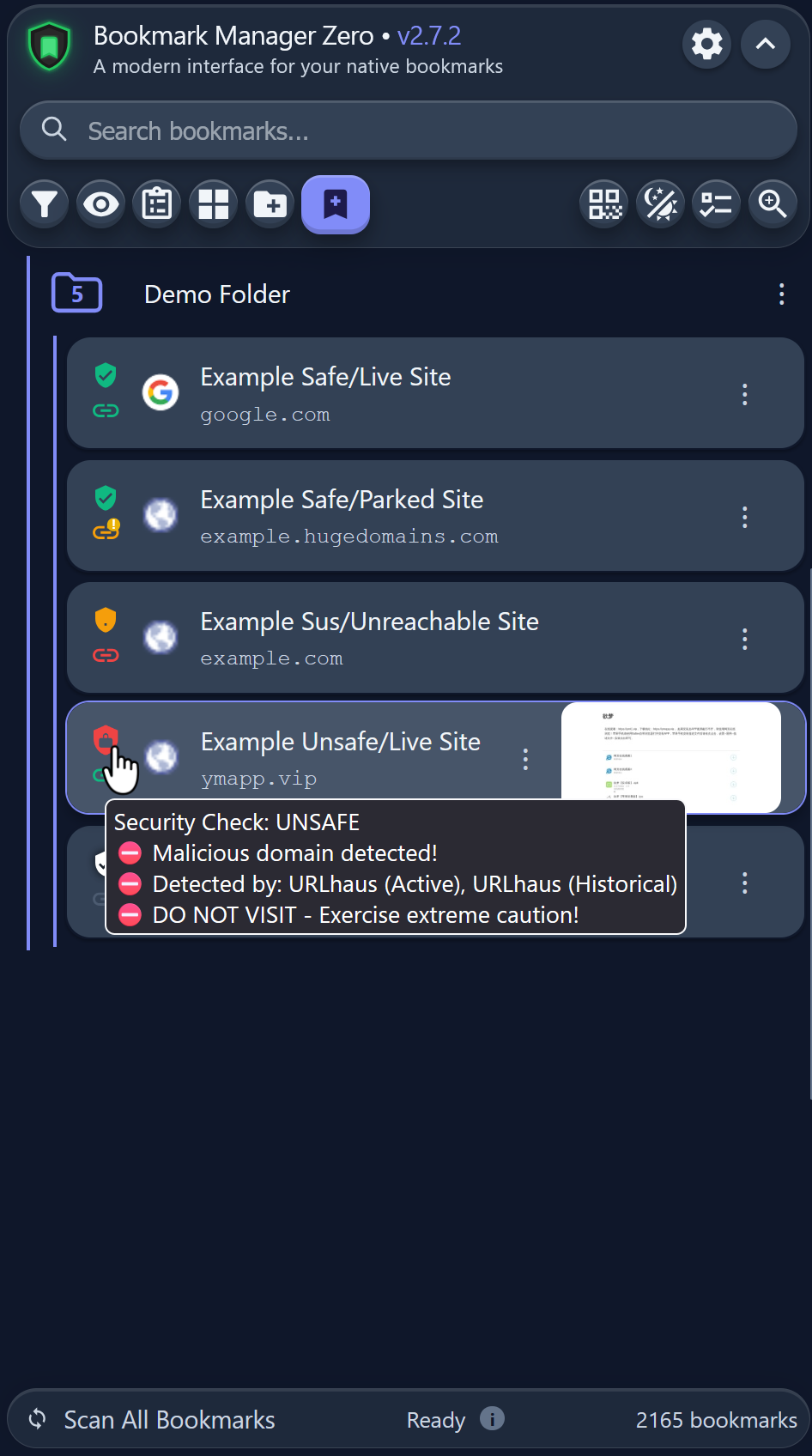
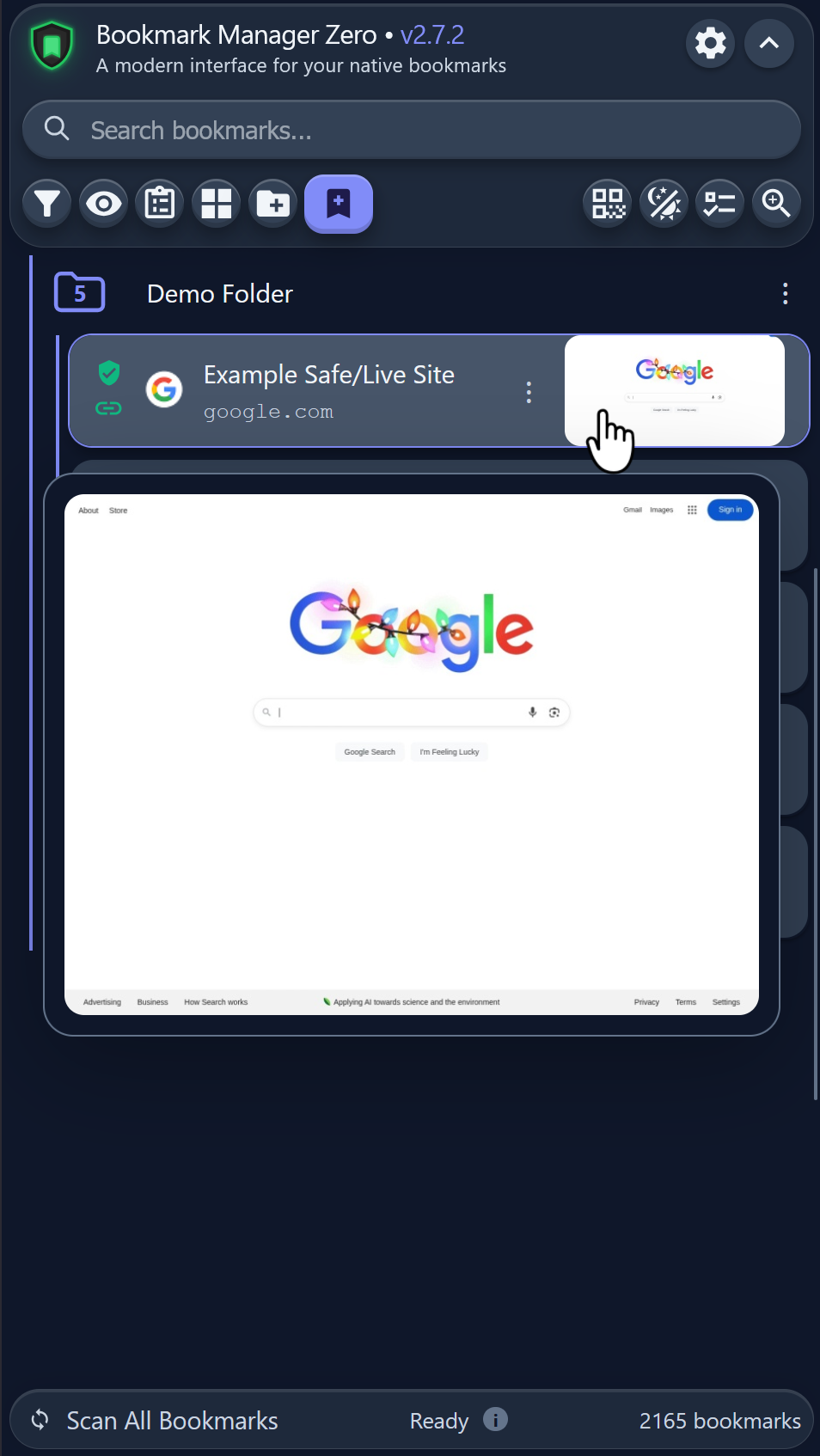
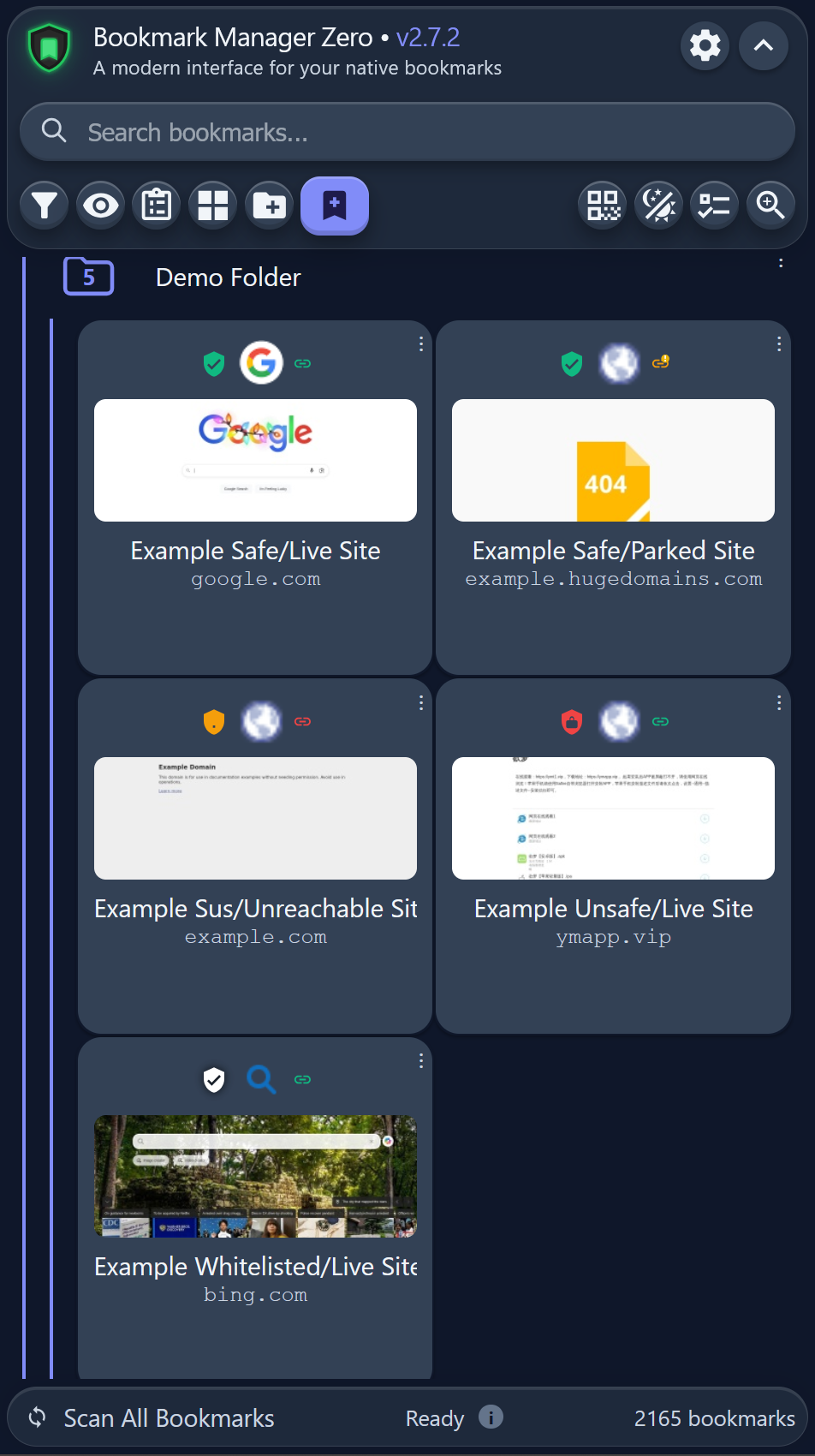
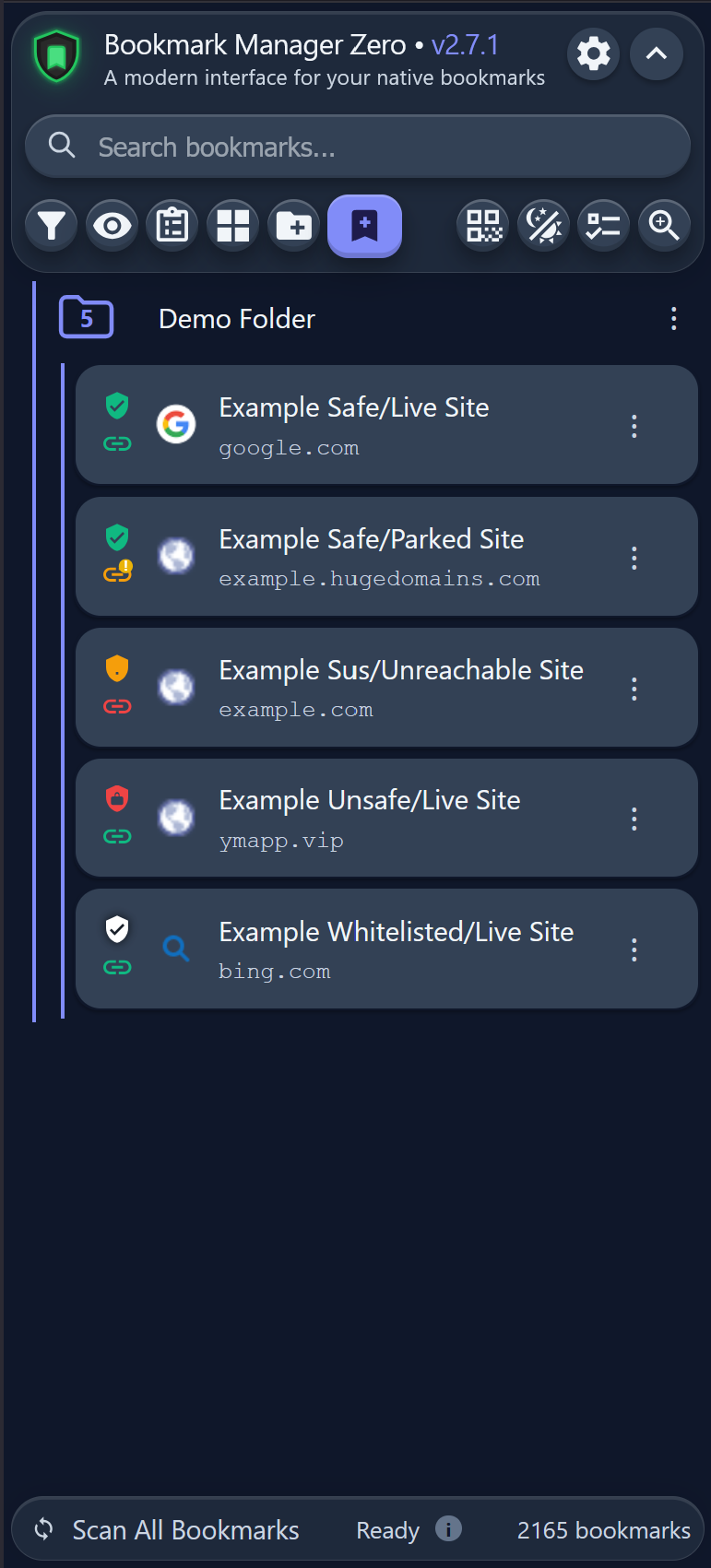
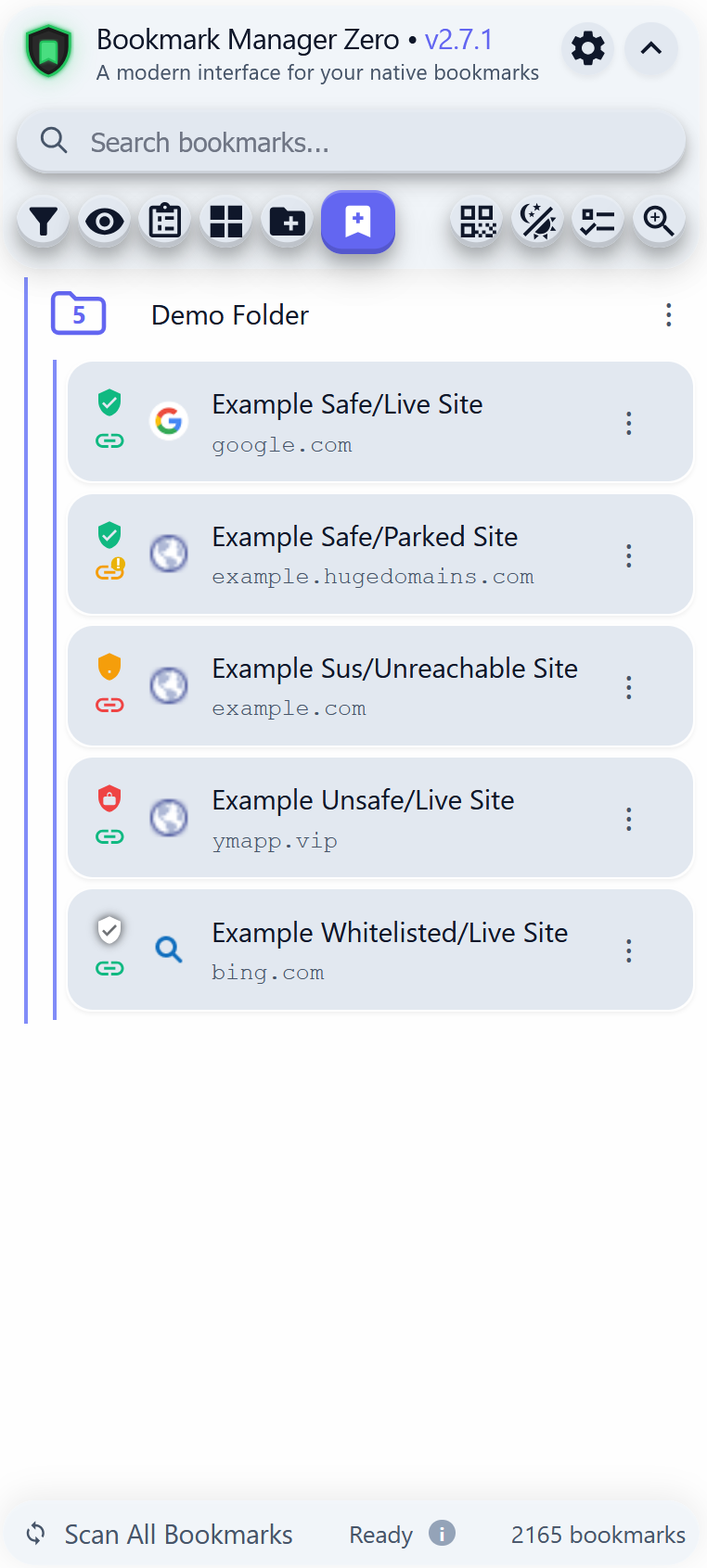
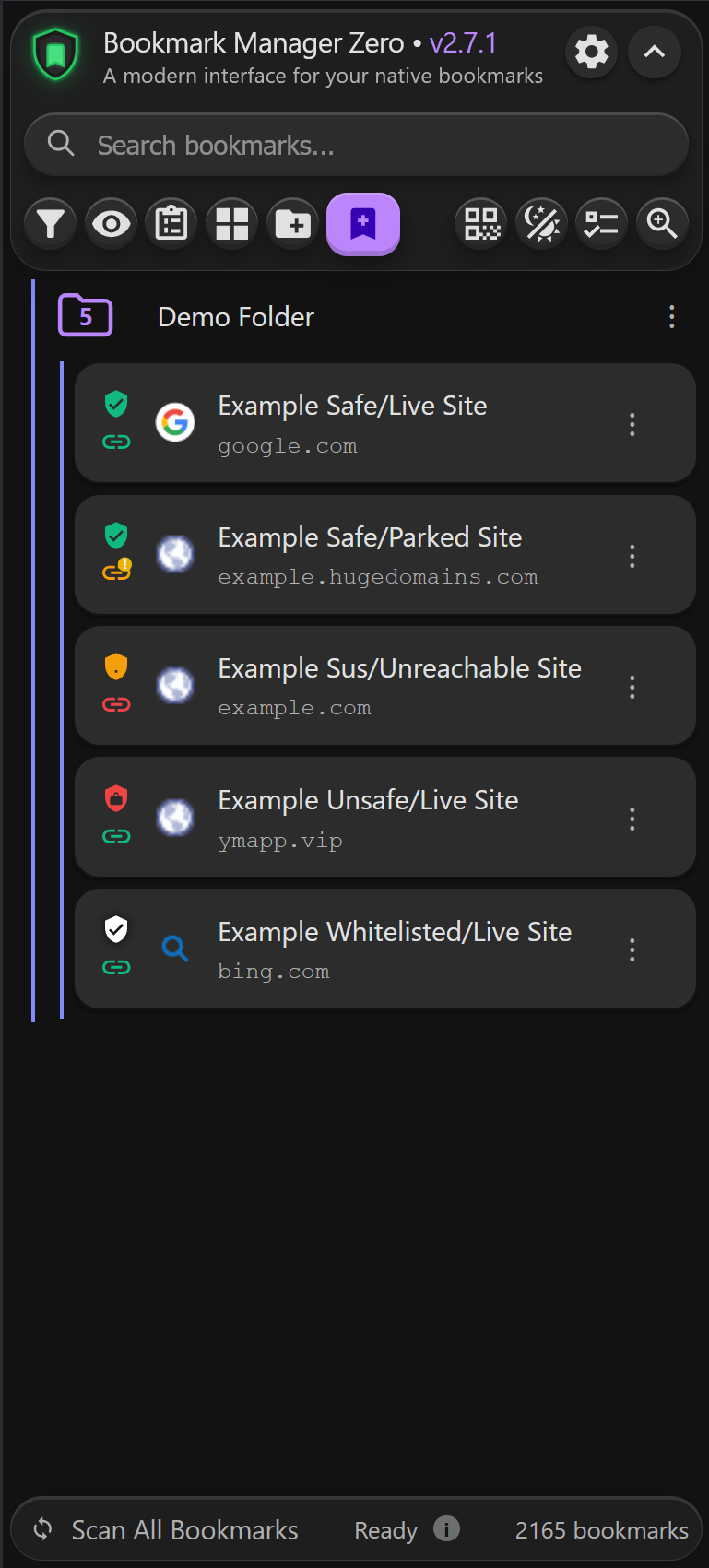
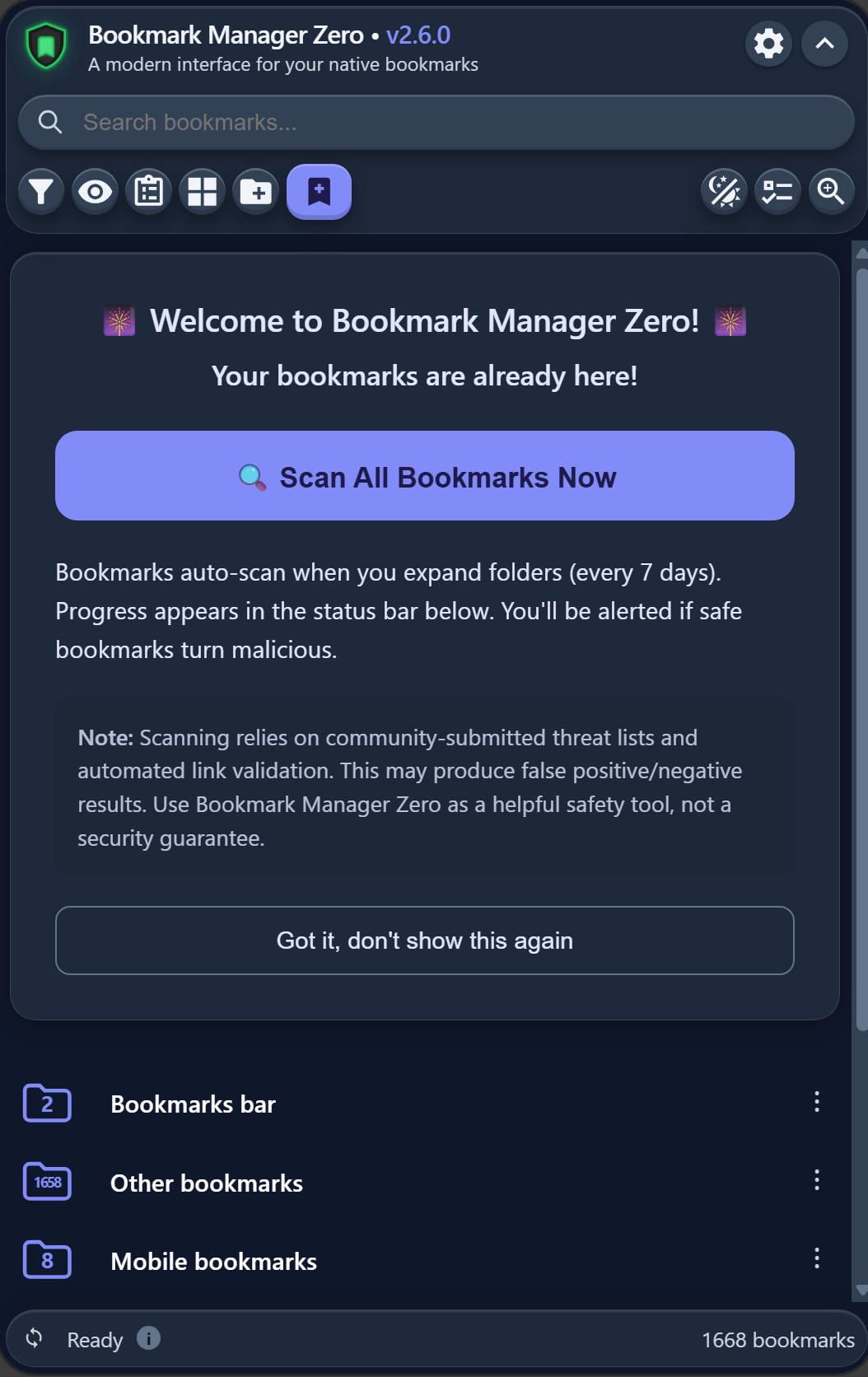
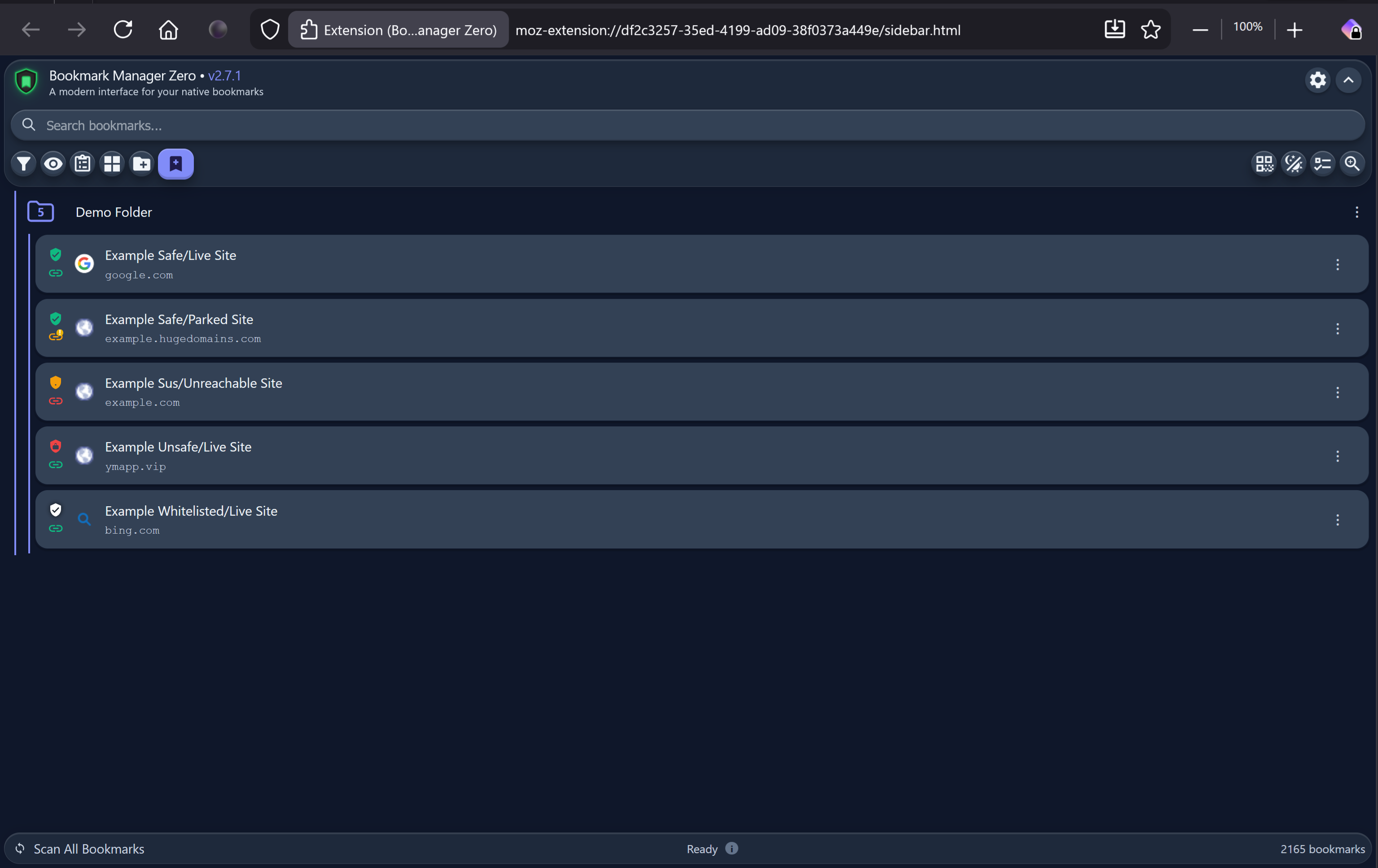
Gallery (Click to view full size)
|
|
|
|
|
|
|
|
|
Click any image to view full resolution. All screenshots show the extension running in Chrome.
Features
Core Functionality
- Native Bookmark Integration - Works directly with Chrome's bookmark system
- GitLab Repository Sync (Optional) - Cloud backup and cross-device synchronization
- PAT authentication with AES-256-GCM encryption
- Auto-sync every 5 minutes plus event-driven sync on changes, both running in the extension's background
- One sync button; anything that would remove, rename or move a bookmark asks first
- Conflict detection for safe multi-device usage
- Works with the side panel closed
- Modern Material Design UI - Clean, intuitive interface with multiple themes
- Side Panel Interface - Quick access via toolbar icon
- Real-time Sync - Instantly reflects bookmark changes made in Chrome
Organization & Search
- Advanced Search - Real-time search across titles and URLs
- Folder Management - Create, edit, move, and organize folders
- Smart Filters - Filter by link status and safety with multi-select support
- List & Grid Views - Choose your preferred layout
- Drag & Drop - Reorder bookmarks and folders
Link & Safety Checking
- Link Status Checking - Automatically detects broken/dead links -️ Security Scanning - Checks URLs against malware databases
- Background Scanning - Bookmark scanning continues in the background even when the side panel is closed, with automatic progress synchronization when reopened
- Folder Rescan - Right-click any folder to recursively scan all bookmarks in that folder and subfolders with detailed statistics
- Safety Indicators - Visual warnings for suspicious links with detailed tooltips
- Clickable Status Icons - Click shield or chain icons for full status details popup
- HTTP Redirect Detection - Detects when HTTP bookmarks redirect to HTTPS
- Whitelist Support - Mark trusted URLs to skip safety checks
- Trusted Filter - Filter to view only whitelisted bookmarks (white shield)
- Safety History - Track status changes over time
Privacy & Security
- Encrypted API Keys - AES-256-GCM encryption for stored credentials
- Encrypted GitLab Tokens - GitLab Personal Access Tokens encrypted with AES-256-GCM
- No Tracking - Zero analytics, no data collection
- Offline Mode - Works fully offline when external features disabled -️ Auto-Clear Cache - Configurable automatic cache cleanup
User Experience
- 8 Themes - Enhanced Blue (default), Enhanced Light, Enhanced Dark, Enhanced Gray, Blue, Light, Dark, Tinted
- Enhanced Themes - Modern rounded containers with enhanced 3D depth effects on search bar and toolbar buttons
- Tinted Theme Customization - Adjust hue, saturation, and background colors for Tinted theme
- Custom Accent Colors - Pick any color for theme customization
- Bookmark Background Opacity - Adjust bookmark background transparency (0-100%) while keeping text at full opacity
- Theme-Aware Text Inversion - Toggle between dark/light text with automatic theme adaptation for optimal contrast
- Custom Text Colors - Visual color picker for bookmark and folder text with reset button
- Custom Backgrounds - Upload and position your own background images with drag-to-reposition
- QR Code Generator Button - Toolbar button for quick QR code generation of the current page URL
- Keyboard Navigation - Full keyboard support with arrow keys
- Accessibility - Comprehensive ARIA labels and keyboard traps
- Zoom Control - 50% - 200% zoom levels for bookmark content
- GUI Scaling - 80% - 140% scaling for interface elements
- Responsive Design - Adapts to side panel width with auto-wrapping filters and wider menus (280-450px)
Advanced Features
-️ Website Previews - Screenshot thumbnails of bookmarks with hover preview popup
- High-Quality Preview Popups - Hover over thumbnails to see 800x600 high-resolution preview
- Smart Popup Positioning - Preview popups appear above/below bookmarks to avoid covering content
- URL Tooltips - Hover over bookmark title/URL to see full URL in tooltip
- Improved Status Bar - Enhanced discoverability with visible "Scan All Bookmarks" label and centered status messages
- Text-Only View - View bookmark pages in text-only mode
- Bulk Operations - Multi-select mode for batch editing/deletion
- Duplicate Detection - Find and manage duplicate bookmarks
- Undo System - Restore recently deleted bookmarks
- Event Log - Track all bookmark and folder changes (creates, moves, deletes, renames) with persistent history, plus any errors BMZ runs into
- Pre-Sync Snapshot Protection - Automatic snapshots before sync operations with one-click restore to undo mistaken syncs
- Favicon Display - Show website icons
Installation
From Chrome Web Store (Recommended)
Install directly from the Chrome Web Store
Manual Installation (Developer Mode)
- Clone this repository:
git clone https://gitlab.com/AbsoluteXYZero/BMZ-Chrome.git - Open Chrome and navigate to
chrome://extensions - Enable "Developer mode" (toggle in top right)
- Click "Load unpacked"
- Select the cloned directory
Getting Started
Bookmark Manager Zero offers two ways to use the extension:
Option 1: Native Bookmarks Mode (Default)
- Works directly with Chrome's built-in bookmarks - no setup required
- Changes sync bidirectionally between extension and native Chrome bookmarks
- No account or cloud sync needed
- Perfect for users who want enhanced bookmark management without GitLab
Just install and start using! All features work immediately with your existing Chrome bookmarks.
Option 2: GitLab Sync Mode (Optional)
Add cloud backup and cross-device synchronization to your bookmarks:
-
Create a free GitLab account and generate a Personal Access Token (PAT):
- Navigate to GitLab → Settings → Access Tokens
- Token name: "Bookmark Manager Zero" (or any name you prefer)
- Scope required:
api✅ - Expiration: Choose your preferred date
- Click "Create personal access token"
- ⚠️ CRITICAL: PATs display only ONCE - copy immediately and save to a password manager
- Track expiration date to avoid sync interruptions
-
Configure Gitlab integration in the extension:
- Click the Gitlab icon in the GUI or open extension settings (gear icon)
- Paste your token (must start with
glpat-prefix) - Token will be encrypted with AES-256-GCM before storage
- Choose how to set up your repository from the four options below
-
Your bookmarks sync automatically:
- Changes sync across all your devices via a private GitLab repository
- Still works with native Chrome bookmarks (bidirectional sync maintained)
- Auto-sync every 5 minutes, and again shortly after any bookmark or folder change
- Runs in the extension's background, so the side panel does not need to be open
Adding Sync to Existing Bookmarks
Already using the extension? Add GitLab sync anytime:
-
Click the GitLab icon or settings (gear icon) → Cloud Sync Options
-
Enter your GitLab Personal Access Token
-
Choose how you want your repository set up:
- Connect to a repository that already has my bookmarks - Another device set this up. Nothing here is written over it; the two are merged instead. This is the right choice for your second and every later device
- Use an empty repository I already made - You made one yourself and it has nothing in it yet. This device's bookmarks go into it. If it already holds bookmarks, or any other files, BMZ names what is there and asks before going ahead
- Create a repository for me - BMZ makes a new private repository on your GitLab account and puts this device's bookmarks in it
- Show me how to make one myself - Step by step, then point BMZ at it
-
Pick your repository from the dropdown, which lists the repositories on your account that BMZ can write to, most recently active first. You can paste an address instead if the one you want is not listed.
-
After connecting, the sync dialog offers:
- Sync - The large circular button. Press it to compare both sides. Additions are applied silently in both directions; anything that would remove, rename or move a bookmark stops and asks first. Opening the dialog does not sync on its own, so you can reach the options below without triggering anything.
- Background auto-sync - A toggle under Cloud Sync Options, on by default. With it off, nothing syncs on its own and the button above still works.
- Change Repository - Point this device at a different repository without disconnecting and re-entering your token.
- Overwrite Cloud with Local / Overwrite Local with Cloud - Under Cloud Sync Options. Each carries an arrow showing which way your bookmarks move, and names how many would be lost before doing anything.
Moving from a Snippet
Earlier versions stored bookmarks in a GitLab Snippet. A snippet has a storage limit that counts every past version of your bookmarks rather than only the current one, so a large collection eventually reaches it and syncing stops. If you are still on a snippet, BMZ shows a card offering to move you, and the move takes about a minute. Nothing is lost. Migrate your first device with any option except the first, then use the first one on every other device so they join the same repository rather than creating their own.
Token Tips
- Any PAT with
apiscope works as long as your GitLab account is in good standing - The extension includes helpful error prompts to guide you if authentication issues occur
- Keep your token secure - it's encrypted before storage but treat it like a password
Keyboard Shortcuts
Navigation (when item selected)
↑/↓- Navigate bookmarks←/→- Collapse/expand folders or show/hide previewsEnter- Open bookmark or toggle folderEscape- Clear selection
Privacy
Bookmark Manager Zero respects your privacy:
- All data stored locally on your device
- No tracking or analytics
- No advertisements
- Open source - audit the code yourself
See PRIVACY.md for complete privacy policy.
External Services (Optional)
The extension can optionally use external services for enhanced features. All can be disabled in settings:
Default Services (can be disabled)
- WordPress mshots - Website screenshot previews
- 10 Blocklist Sources - Dual URLhaus coverage (Active + Historical), BlockList Project (Malware/Phishing/Scam), HaGeZi TIF, Phishing-Filter, OISD Big, FMHY Filterlist, Dandelion Sprout Anti-Malware
- URLVoid - Multi-source reputation analysis from 30+ security engines. A domain URLVoid has never examined returns no verdict rather than being treated as clean.
- Google Favicons - Website icons
User-Configured Services (require API keys)
- Google Safe Browsing - Additional malware protection (10K requests/day)
- Yandex Safe Browsing - Geographic threat diversity (100K requests/day)
- VirusTotal - Comprehensive threat scanning from 70+ AV engines (500 requests/day)
All external service usage is disclosed in PRIVACY.md.
Important Notice: GitLab API Usage
How GitLab Repositories Are Used:
- This extension uses a GitLab project repository as intended by GitLab: for storing versioned files
- Your bookmarks are stored as
bookmarks.jsonin a private repository in your own GitLab account - The extension uses standard GitLab Projects, Repository Files and Commits API endpoints documented in the official GitLab API
- Writes go through the Commits API, so every sync lands as a single commit and can never be left half applied
- Snippet storage is still supported for existing installs, but new setups create a repository
API Usage Considerations:
- Event-driven sync: API calls are made when you add/edit/delete bookmarks or folders
- Auto-sync polling: When enabled, checks for remote changes every 5 minutes
- Manual sync: Press the sync button in GitLab Sync Settings for a one-off check
- Runs in the background: Syncing continues with the side panel closed
- Rate limiting protection: Built-in exponential backoff with jitter respects GitLab API limits
- Rate limits: GitLab has API rate limits; typical bookmark usage stays well within limits
Best Practices:
- Keep the side panel open if you want automatic background sync
- Use the manual sync button in the GUI to check for changes from other devices when needed
- The extension automatically syncs when you make changes (add/edit/delete bookmarks)
- For very large collections (>5000 bookmarks), edits will naturally sync less frequently
How Link & Safety Checking Works
This section provides technical details on how the extension determines link status and safety for anyone interested in the methodology.
Link Status Checking
The extension checks if bookmark URLs are still accessible and categorizes them as Live, Dead, or Parked.
Detection Method
-
Initial Domain Check: The URL's domain is first checked against a list of 22+ known domain parking services:
- Registrars: HugeDomains, GoDaddy, Namecheap, NameSilo, Porkbun, Dynadot, Epik
- Marketplaces: Sedo, Dan.com, Afternic, DomainMarket, Squadhelp, BrandBucket, Undeveloped, Atom
- Parking Services: Bodis, ParkingCrew, Above.com, SedoParking
-
HTTP HEAD Request: A lightweight HEAD request is sent with CORS mode to track redirects (10-second timeout)
- No page content is downloaded
- Credentials are omitted for privacy
- Falls back to no-cors mode if CORS is blocked
-
Redirect Detection: If the URL redirects to a different domain, the final destination is checked against parking domain lists
- Example:
example.com→hugedomains.com/domain/example.com= Parked - Same-site redirects (www, HTTPS) are not flagged
- Example:
-
Response Interpretation:
- Successful response → Live
- Redirects to parking domain → Parked
- Timeout/Network Error → Dead
-
Fallback Strategy: If HEAD fails, a GET request is attempted with the same redirect detection logic
Performance & Rate Limiting
Optimized Batch Processing:
- Bookmarks are scanned in batches of 10 with a 100ms delay between batches
- Concurrency limiter enforces maximum 10 concurrent network requests
- Link and safety checks run in parallel for up to 2x faster scanning per bookmark
- Prevents overwhelming your network/router with excessive DNS requests
Smart Timeout Strategy:
- Link checks: 5s timeout (HEAD request), 5s timeout (GET fallback)
- Timeout handling: Sites that timeout are marked as 'live' (slow server) instead of 'dead'
- No redundant GET fallback on timeout - saves up to 5s per slow site
- URLVoid scraping: 5s timeout
- VirusTotal API: 8s timeout
Network Protection:
- Maximum 10 bookmarks actively scanning at any time (controlled by concurrency limiter)
- With parallel checks, actual concurrent requests can reach up to 20 (10 bookmarks × 2 checks each)
- Batch delay prevents request flooding between bookmark groups
- Balances speed with network stability
Expected Performance:
- ~30-50 bookmarks/second throughput (depending on network conditions)
- 1,000 bookmarks: ~30-60 seconds
- 5,000 bookmarks: ~2-5 minutes
- Speed varies based on cache hits, site response times, and network conditions
Caching
Results are cached locally for 7 days to minimize network requests.
Privileged URLs (Browser Internal Pages)
Certain URL schemes are recognized as browser internal pages and are automatically marked as trusted without scanning:
chrome:*- Chrome internal pages (e.g.,chrome://extensions,chrome://settings)chrome-extension:*- Extension pages
Visual Indicators:
- Green chain-link icon with tooltip: "Link Status: Browser internal page"
- Green shield icon with tooltip: "Not scanned (trusted browser page)"
These URLs are inherently safe and don't require HTTP status checks or security scanning. Note that about:* URLs work normally in Chrome and are scanned like regular URLs.
Safety Checking
The extension checks URLs against multiple threat databases to identify malicious, phishing, or scam websites.
Phase 1: Blocklist Lookup (Free, No API Key Required)
URLs are checked against ten community-maintained blocklists with dual URLhaus coverage:
| Source | Type | Description | Entries |
|---|---|---|---|
| URLhaus (Active) | Malware URLs | Official abuse.ch list - actively distributing malware (updated every 5 min) | ~107K |
| URLhaus (Historical) | Malware Domains | Historical threats via CDN mirror (updated every 12 hours) | ~37K |
| BlockList Project - Malware | Malware Domains | Community-maintained malware domain list | ~300K |
| BlockList Project - Phishing | Phishing Domains | Known phishing sites | ~214K |
| BlockList Project - Scam | Scam Domains | Known scam websites | ~112K |
| HaGeZi TIF | Threat Intel Feeds | Comprehensive malware, phishing, and scam domains | 608K |
| Phishing-Filter | Phishing URLs | Aggregated phishing database from OpenPhish & PhishTank | ~21K |
| OISD Big | Multi-source | Comprehensive blocklist aggregator covering malware, ads, trackers | ~215K |
| FMHY Filterlist | Unsafe Sites | Fake activators, malware distributors, unsafe download sites | ~282 |
| Dandelion Sprout Anti-Malware | Anti-Malware | Curated malware, scam, and phishing domains | ~5K |
Total Coverage: ~3.1M unique malicious domains after deduplication
Implementation Details:
- Blocklists are downloaded and cached locally in IndexedDB
- Updated every 24 hours automatically
- URLhaus Active uses CORS proxy to access official abuse.ch list with full URL context
- URLhaus Historical uses GitHub mirror for redundancy and historical coverage
- OISD Big uses GitHub mirror to avoid CORS restrictions
- Both full URLs and domain:port combinations are checked
- Dual URLhaus sources provide complementary coverage (active threats + historical data)
- Domain-level matching catches malicious IPs even if specific path differs
- Any match → Unsafe (tooltip shows all sources that flagged it)
- All scanning continues through every layer to aggregate findings
- Suspicious pattern detection provides additional coverage for IP-based threats
Trusted Domain Exceptions: To prevent false positives, certain well-known trusted platforms are exempted from local blocklist checks (but still scanned by API-based services):
archive.org- Internet Archive*.github.io- GitHub Pages (all subdomains)*.githubusercontent.com- GitHub raw content (all subdomains)*.github.com- GitHub domains (all subdomains)*.gitlab.com- GitLab domains (all subdomains)*.gitlab.io- GitLab Pages (all subdomains)docs.google.com- Google Docssites.google.com- Google Sitesdrive.google.com- Google Drive
These domains bypass URLhaus and other local blocklists but are still checked by Google Safe Browsing, Yandex, and VirusTotal if API keys are configured.
Phase 2: Google Safe Browsing (Optional, Requires API Key)
If configured, URLs are checked against Google's threat database:
- Threat Types Checked: Malware, Social Engineering, Unwanted Software, Potentially Harmful Applications
- Method: POST request to Safe Browsing API v4
- Rate Limit: 10,000 requests/day (free tier)
- Results aggregated with other findings (doesn't stop scanning)
Phase 3: Yandex Safe Browsing (Optional, Requires API Key)
If configured, provides geographic threat diversity:
- Coverage: Russian and Eastern European threats
- Method: POST request to Yandex Safe Browsing API
- Rate Limit: 100,000 requests/day (free tier)
- Results aggregated with other findings
Phase 4: VirusTotal (Optional, Requires API Key)
If configured, URLs are submitted to VirusTotal's multi-engine scanner:
- URL is submitted for analysis
- Results are retrieved after 2 seconds
- 70+ antivirus engines analyze the URL
Threat Determination:
- 2+ engines flag as malicious → Unsafe
- 1 malicious OR 2+ suspicious → Warning
- 0 detections → Safe
Rate Limit: 500 requests/day, 4 requests/minute (free tier)
Phase 5: Suspicious Pattern Detection
The URL is analyzed for suspicious patterns (scanning continues regardless of previous results):
| Pattern | Detection | Result |
|---|---|---|
| HTTP Only (Unencrypted) | URL uses http:// and doesn't redirect to HTTPS |
Warning |
| HTTP Only (redirects to HTTPS) | URL uses http:// but site redirects to HTTPS |
Warning (informational) |
| URL Shortener | Domain is bit.ly, tinyurl.com, t.co, etc. (18+ services) | Warning |
| Suspicious TLD | Domain ends in .xyz, .top, .tk, .ml, .ga, .cf, .gq, .cc, etc. (30+ TLDs) | Warning |
| IP Address | URL uses IP address instead of domain name (IPv4 or IPv6) | Warning |
Note: Multiple patterns can be detected simultaneously (e.g., HTTP + Suspicious TLD).
Final Status Determination
Scanning Methodology: All layers are checked sequentially, and results are aggregated. The extension does NOT stop at the first flag—it continues through all enabled layers to provide comprehensive threat intelligence.
| Check Result | Final Status | Priority |
|---|---|---|
| Blocklist match (any source) | Unsafe (red shield) | Highest |
| Google Safe Browsing match | Unsafe (red shield) | Highest |
| Yandex Safe Browsing match | Unsafe (red shield) | Highest |
| VirusTotal 2+ malicious | Unsafe (red shield) | Highest |
| VirusTotal 1 malicious or 2+ suspicious | Warning (yellow shield) | Medium |
| Suspicious patterns found | Warning (yellow shield) | Medium |
| All checks pass | Safe (green shield) | Normal |
Multi-Source Attribution: Tooltips display all sources that flagged a URL (e.g., "Detected by: URLhaus, Google Safe Browsing, Suspicious TLD"). This provides transparency and helps identify false positives.
Caching & Privacy
- All results are cached locally for 7 days
- Only URLs are sent to external services (no personal data)
- API keys are encrypted with AES-256-GCM before storage
- All features can be disabled in settings
Whitelisting
Users can whitelist specific URLs to:
- Skip safety checks for trusted sites
- Override false positives
- Whitelisted bookmarks display a white shield indicator instead of green
- Add/remove from whitelist via bookmark context menu (right-click)
- Use the "Trusted" filter to view all whitelisted bookmarks
- Whitelist is stored locally and persists across sessions
Permissions
Required Permissions
bookmarks- Read and manage your Chrome bookmarksstorage- Save preferences and cache locallytabs- Open bookmarks in tabssidePanel- Display the side panel interface<all_urls>- Check if bookmark links are still working and download malware blocklists- Sends HEAD requests to check bookmark URLs (no content accessed)
- Downloads free public blocklists for malware protection
- Can be fully disabled in settings
Development
Key Technologies
- Vanilla JavaScript (no frameworks)
- Material Design 3 color system
- Chrome Extensions API (Manifest V3)
- AES-256-GCM encryption for API keys
- CSS Grid & Flexbox
Security
Security Features
- Strong Content Security Policy (CSP)
- AES-256-GCM encryption for stored API keys
- No eval() or inline scripts
- HTTPS-only external requests
- Input validation and sanitization
- XSS protection
Reporting Security Issues
Please report security vulnerabilities via GitLab Issues (mark as security issue).
License
MIT License - see LICENSE file for details.
Support
- Issues: GitLab Issues
- Source Code: GitLab Repository
- Buy Me a Coffee: Support Development
Acknowledgments
Design & Platform
- Material Design 3 - Color system by Google
- Chrome Extensions - Google Chrome team
Security & Malware Detection
- URLhaus - Dual coverage: Active list (~107K entries, updated every 5 min) + Historical mirror (~37K entries)
- BlockList Project - Community-maintained malware, phishing, and scam domain lists (626K+ entries)
- HaGeZi TIF - Threat Intelligence Feeds blocklist (608K entries)
- Phishing-Filter - OpenPhish & PhishTank aggregated database (~21K entries)
- OISD Big - Comprehensive blocklist aggregator (~215K entries)
- FMHY Filterlist - Curated unsafe sites list (~282 entries)
- Dandelion Sprout Anti-Malware - Curated anti-malware list (~5K entries)
- corsproxy.io - CORS proxy service enabling access to abuse.ch official list
- Google Safe Browsing API - Optional threat intelligence (requires API key)
- Yandex Safe Browsing - Optional geographic threat diversity (requires API key)
- VirusTotal - Optional multi-engine malware scanning from 70+ AV engines (requires API key)
Services
- WordPress mShots - Website screenshot preview service
- Google Favicons - Website icon service
Special thanks to the security research community for maintaining free, public malware databases that help keep users safe.
Made with ❤️ for Chrome users who love organized bookmarks